Run your AI agents on a
dedicated Mac Studio
for 3, 7, 14 or 30 days.
Keep Claude Code, Codex, Ollama, and MLX running around the clock — without leaving your own Mac on. A dedicated Apple Silicon machine for local LLMs, AI agents, and remote development. The Mac is hosted in Kobe, Japan — nothing is shipped to you. Pay once, get a secure access page, connect over Tailscale.
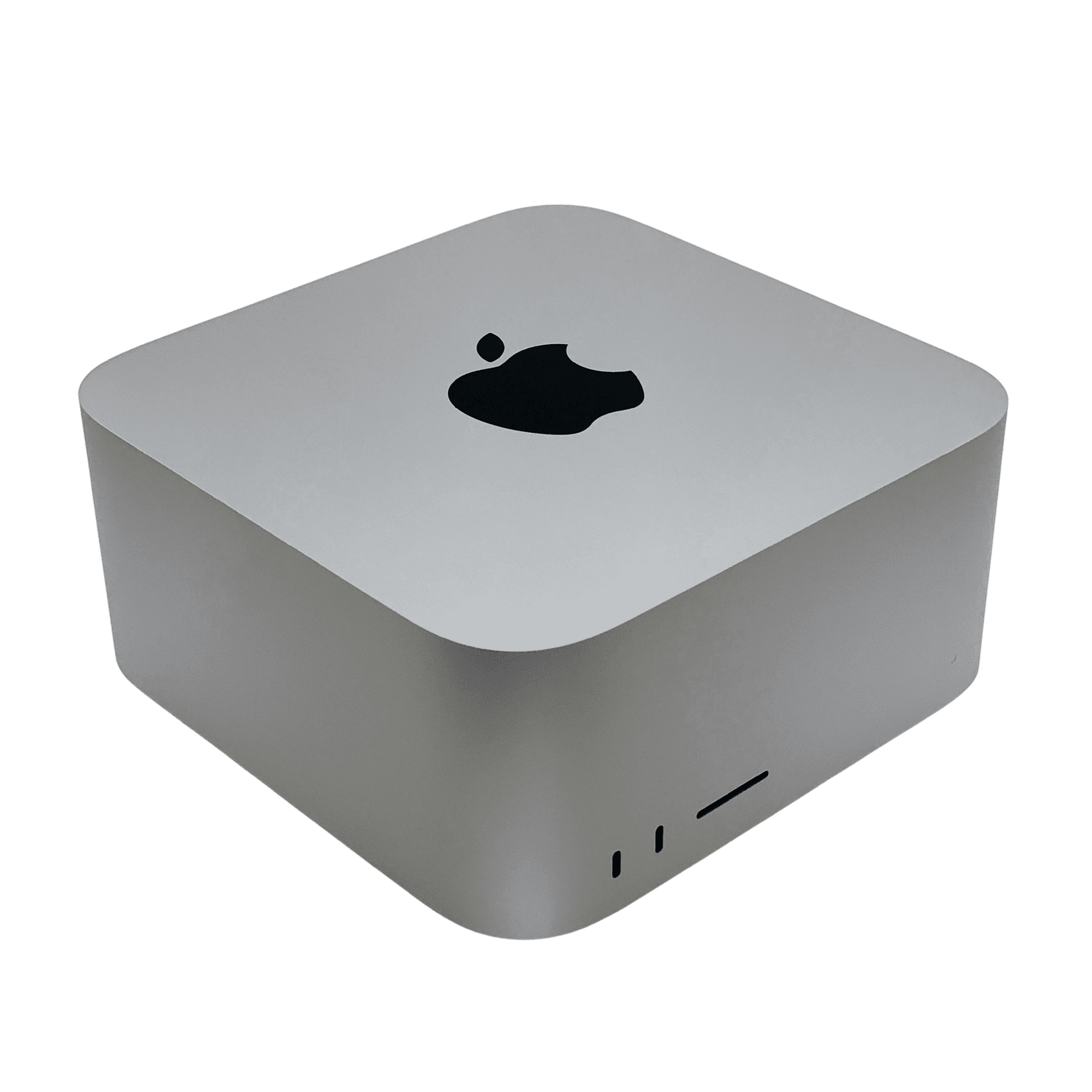
Rent a Mac Studio M3 Ultra with 512 GB of unified memory and a 4 TB SSD. The whole machine is yours alone for your rental period, with remote access over Tailscale, SSH, and VNC.
- Remote-only — nothing shipsThe Mac is hosted in Kobe, Japan. You connect from your own computer.
- $299 / 3 daysOne-time payment. Your rental starts immediately on payment. No subscription, no auto-renewal.
- Encrypted via TailscaleDirect WireGuard tunnel — no open inbound ports.
- SSH / VNC / Screen SharingVS Code Remote SSH works out of the box.
From checkout to SSH, in three steps.
Nothing is shipped. Access is subject to machine availability; once your machine is assigned, connect remotely over Tailscale.
Pick a term and pay
3, 7, 14 or 30 days on the 512 GB machine. Stripe Checkout — no account creation before purchase. Once assigned, the machine is dedicated to you for your rental period.
Open your access page
After checkout and machine assignment, your access page shows the Tailscale invite, SSH command, VNC address, and password. Access is subject to machine availability.
Connect and build
SSH from your terminal, or use VNC / Screen Sharing for the desktop. VS Code Remote SSH, Cursor, Ollama, Docker — your usual tools work as-is.
Frontier open-weight models, in one box.
With 512 GB of unified memory at 819 GB/s, the weights stay resident in memory — no sharding across GPUs, no offloading to disk.
Quantized sizes are approximate and depend on format and context length. We measured this exact machine in July 2026 — see the benchmark write-up — but your workload is the benchmark that matters; bring it and measure.
One M3 Ultra. Entirely yours.
We rent a single 512 GB Mac Studio M3 Ultra with a 4 TB SSD. Use the whole machine remotely for your rental period. Only one renter has it at a time.
Full 512 GB spec sheet — hardware, model capacity, and rental details →
A real Mac, entirely yours.
Not Linux in a container — Apple Silicon macOS itself. You get an admin user, so it works exactly like the Mac you already know.
Admin rights, full control.
This is the difference from cloud GPUs: you log in to macOS as an admin and run things your way, end to end.
kizai (admin)
Sign in to your own accounts
Use your usual cloud accounts and sync. It behaves like a Mac on your desk, because it is one.
Install anything
Apps from anywhere — App Store, direct downloads, your own builds. No allowlist.
Homebrew / Docker / Python
Bring your whole toolchain. Your shell config, your version managers, your dotfiles.
Full system settings
Startup items, networking, sharing — every macOS setting is yours to change.
Note: machines come as clean macOS installs. Environment setup (Ollama, runtimes, etc.) is up to you — we don't provide setup support.
A locked machine, so you can focus on the work.
Encrypted via Tailscale
Direct WireGuard tunnels between your devices and the machine. No inbound ports are ever opened.
Your own admin user
A dedicated admin account issued to you alone. Other customers and operators don't see your work.
Data stays on the machine
Your data lives on the Mac's SSD — useful for work you'd rather not upload to a cloud service.
Erased between rentals
After your rental, we erase the machine and remove your data. Save anything you need before the rental ends.
Four terms. One payment. No subscription.
Pick 3, 7, 14 or 30 days. You pay once and your rental starts immediately on payment, running for the full term — it's time-limited, with no auto-renewal and nothing to cancel. There is one machine, so whoever pays first has it for the term. The 30-day plan runs for 30 days, not a calendar month.
Need more time? Add 3, 7, 14 or 30 days from your access page.
One-time payment · Time-limited access · No auto-renewal · No refunds (see Terms) · Clean macOS, full admin — bring your own stack
Common questions.
Do you ship the Mac to me?
No — this is a remote rental. The machine is hosted in Kobe, Japan, and you connect to it over Tailscale using SSH, VNC, or macOS Screen Sharing. Nothing is shipped, there is no deposit, and there is nothing to return.
How quickly can I connect after paying?
Access is subject to machine availability. After checkout and machine assignment, your access page provides the Tailscale invite, SSH command, and VNC details. Connection time also depends on your network and Tailscale setup.
Do I need an account before purchasing?
No. Pick a plan and pay with Stripe Checkout. Your access page is tied to the email you use at checkout, and we email you a link to it as a backup.
Can I extend my rental?
Yes. From your access page you can extend by 3, 7, 14 or 30 days at the same price as the initial rental. For 90 days in total, purchase 30 days and add two 30-day extensions to the same rental. Online extensions close 31 minutes before access ends.
Where are the machines located?
Kobe, Japan, on a 1 Gbps fiber line. You connect over Tailscale, which builds a direct WireGuard tunnel from your device, so day-to-day latency depends mostly on your distance to Japan.
Do you help with environment setup?
No — machines come as clean macOS installs with admin access, and you install your own stack (Ollama, runtimes, anything else). This keeps the machines predictable and the price low.
What is the refund policy?
All sales are final; there are no refunds. Details are in the Terms. If something is wrong on our side, contact support and we will sort it out.